







Plan yard & garden materials from real measurements
Landscaping materials are often sold by cubic yard, cubic foot, ton, bag, roll or pound. The difficult part is converting an irregular outdoor area into the unit used by the supplier. These calculators handle the common conversions while keeping depth, density and application rate editable.
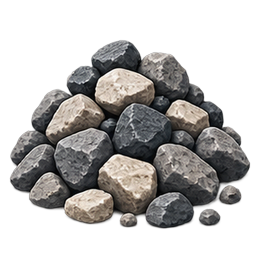
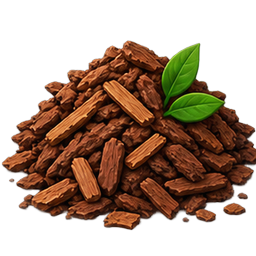
Use area calculators first when the bed or lawn size is uncertain. Mulch, soil and compost then need a target depth. Gravel and landscape rock also need a density estimate if you want tons. Grass seed and fertilizer use a rate per 1,000 square feet, while sod is normally ordered from area plus trimming waste.
Common estimating mistakes
Outdoor measurements are rarely exact. Curved borders, slopes, low spots and settling can increase material demand. Bulk-material density also varies with stone type and moisture. Do not treat a default ton-per-yard value as a supplier guarantee; use the actual product density when it is available.
Landscaping calculators are useful for comparing bagged and bulk materials before visiting a supplier. Measure the real area, choose a realistic installed depth and then apply the exact package coverage or application rate. The result is a planning estimate that can be adjusted quickly if the project dimensions or product changes.
How to use these calculators together
Start with the calculator that matches the geometry or material you know. If a project needs several materials, carry the measured area, length or volume from one tool into the next rather than re-measuring with different assumptions. For example, a room area can feed a flooring estimate, while wall area can feed paint, primer or insulation planning.
Keep a note of net quantity, waste percentage and package coverage for each material. That makes supplier comparisons easier because you can see whether a difference comes from price, package size or the quantity assumption. When a product specification changes, update the relevant input instead of rebuilding the entire estimate.
Why Construction Calculator USA keeps formulas visible
These tools are built for planning rather than black-box recommendations. The formulas and assumptions are shown because material quantities depend on field measurements and product specifications. A calculator can reduce arithmetic errors, but it cannot see damaged substrate, uneven soil, hidden framing, access limits or local code requirements.
Use the result as a practical shopping and quote-checking figure. For structural, expensive or safety-critical work, verify the final order and installation requirements with manufacturer documentation, your supplier, contractor or another qualified professional.
More specialized calculators in this category
This category now also includes Landscape Edging Calculator, French Drain Gravel Calculator, Landscape Fabric Calculator, French Drain Slope Calculator, Flagstone Calculator. These narrower tools are useful when a general area or material estimate is not enough and the project depends on product yield, spacing, overlap, fastener rate, compacted depth or another specific installation variable.
Use the specialized calculator when its inputs match the way the material is sold or installed. Keeping those calculations separate avoids forcing unrelated assumptions into one general tool and makes it easier to compare the result with a manufacturer chart or supplier quote.